Run your whole business from your phone
The Houseler iPhone app puts your day, your customers, and your invoices in your pocket. Send an invoice from the driveway, take a card payment on the spot, and see your next job — without opening a laptop.

What you can do from your phone
See your whole day at a glance
Open the app and your appointments for the day are right there — who, where, and when — so you can run your schedule from the driver’s seat.
Send an invoice from the driveway
Finish a job and text the customer an invoice before you pull away. They tap the link and pay by card, and the money goes to your bank through Stripe.
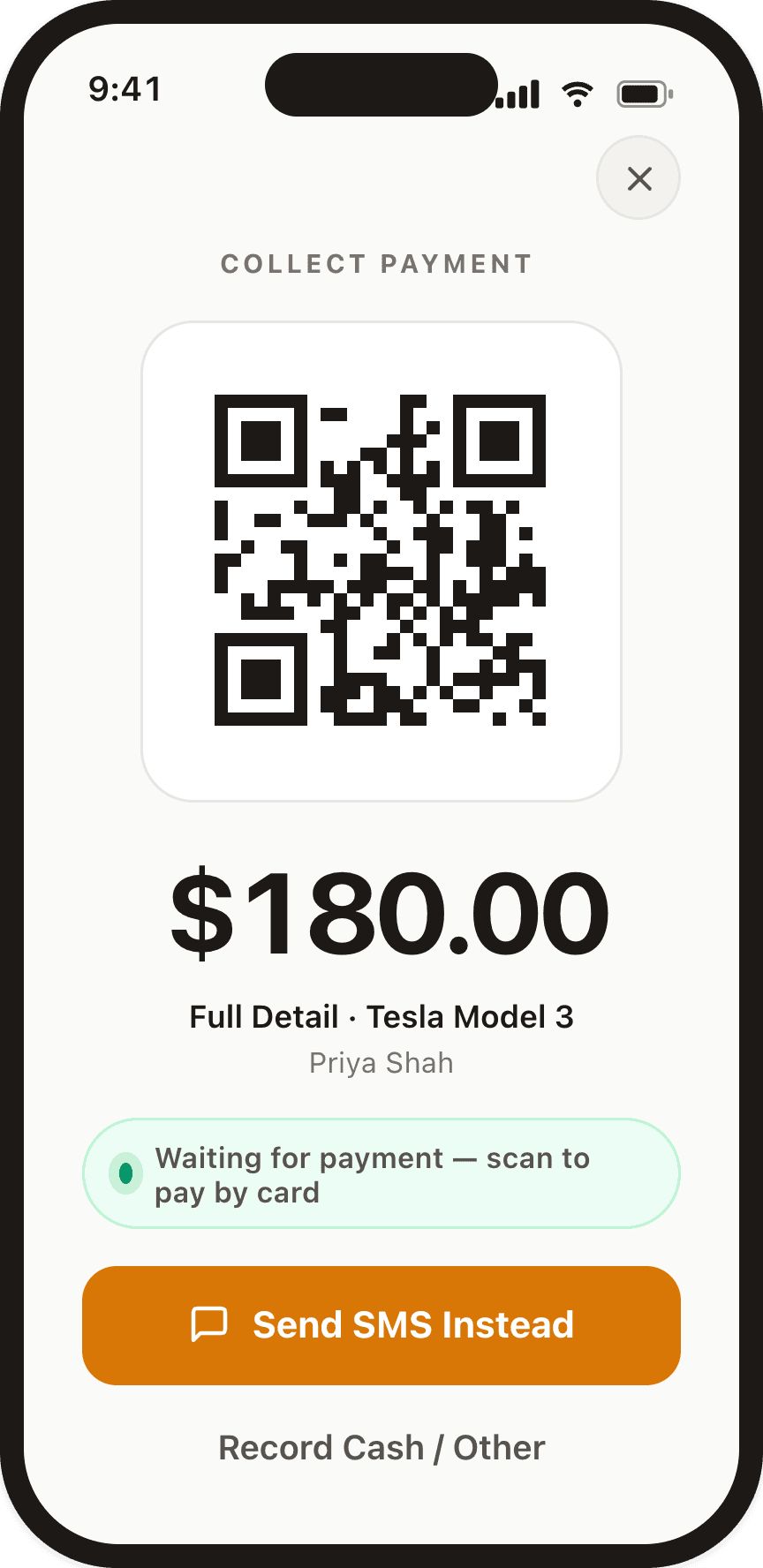
Take payment on the spot
Show a pay link or QR code and get paid on-site. No card reader, no chasing the check later.
Add customers and bookings on the go
A new lead calls while you’re between jobs? Add the customer and book the appointment from your phone in a few taps — it’s all in one list.
Follow-ups and daily summaries, pushed to you
Get a push notification with your day’s schedule and reminders to follow up, so nothing slips while you’re out in the field.
Everything stays in sync
The app and houseler.com are the same account. Whatever you do on your phone shows up on the web, and the other way around.
Send the invoice before you leave the driveway
Finish the job, text the invoice, and watch it get paid — the customer taps the link, pays by card, and the money lands in your bank through Stripe. No paper, no waiting on a check.
How to get the app
Start free on the web
Create your Houseler account at houseler.com. It takes a few minutes and comes with a 30-day free trial — no card required.
Download on iPhone
Get Houseler from the App Store on your iPhone. The app is free to download.
Log in and go
Sign in with the account you just made. Your customers, jobs, and invoices are already there, ready to go.

Frequently asked questions
Common questions about the Houseler iPhone app.
Is the Houseler app free?
Yes. The iPhone app is free to download, and using it is included in your Houseler subscription — there is no extra charge for the app.
Do I need a Houseler account to use the app?
Yes. Create your account on houseler.com first — it takes a few minutes and comes with a 30-day free trial, no card required. Then download the app and sign in with that account.
Is there an Android app?
The Houseler app is on iPhone today. If you use Android, you can still run your whole business from houseler.com in your phone’s browser.
What can I do in the app?
See your day’s appointments, add customers and bookings, send text invoices, take card payments, and get push notifications for your daily schedule and follow-ups. Your customers, jobs, and invoices are the same ones you see on the web.
How do I get the app?
Sign up on houseler.com, then download Houseler from the App Store and log in with the account you just made. Everything you set up on the web is already waiting in the app.